Stop Letting Your Videos Rot in Drive Folders
Your podcast episodes and webinars are assets, not archives. Here is how to turn one long-form video into 30+ pieces of content without touching a timeline.
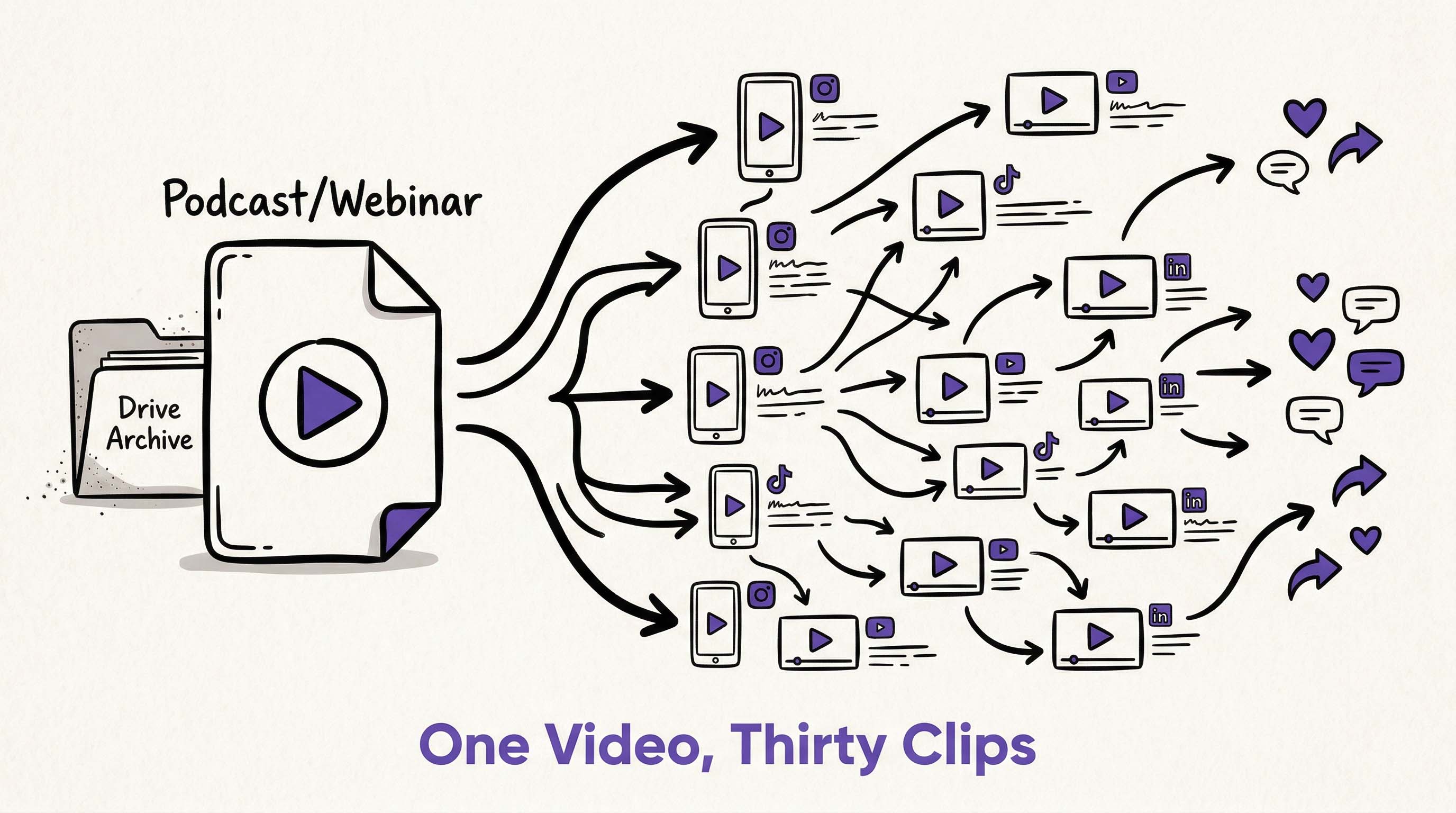 Long-form videos shouldn't die in drive folders—one webinar can generate weeks of social content. Illustration created with RizzGen.
You spent three hours recording a podcast episode. The guest was brilliant. The insights were actionable. You edited it, published it, and promoted it once.
Then it disappeared into your Google Drive graveyard, never to be seen again.
This is the content decay problem. According to HubSpot's latest data, 60% of B2B video content is viewed less than 100 times after its initial publication. Not because it is bad, but because it is long. And long content does not survive in the attention economy.
The Math: One 60-minute webinar contains approximately 20-30 distinct insights, stories, or soundbites. If you are only publishing the full recording, you are getting 1 piece of content when you could be getting 30.
Why Manual Repurposing Fails
I tried the manual approach. Here is what it actually takes to repurpose one podcast episode into social clips:
- Re-watch the entire episode (60 minutes)
- Identify timestamped moments worth clipping (15 minutes)
- Cut each clip in editing software (30 minutes)
- Resize for vertical formats (15 minutes)
- Add captions and branding (20 minutes)
- Write platform-specific descriptions (15 minutes)
Total time: 2.5 hours for maybe 5 clips. And that assumes you are fast with editing software.
For a weekly podcast, that is 10+ hours per month just on repurposing. No wonder most creators skip it. The ROI feels negative when you could be recording new content instead.
The AI Repurposing Gap
Current AI clipping tools (Opus Clip, Vizard, Descript) solve part of the problem. They auto-detect "viral moments" and cut them into shorts.
But here is what they miss: context and continuity.
These tools treat your content like a bag of quotes. They extract moments but lose the narrative thread. You get random clips, not a coherent content series.
What I wanted:
- Extract scenes that maintain character consistency (same speaker, same setting)
- Group clips by theme or topic, not just virality score
- Control the start and end frames so transitions make sense
- Generate captions that match my brand voice, not generic subtitles
- See the relationship between clips (this clip sets up that clip)
Scene-Based Repurposing
RizzGen approaches repurposing differently. Instead of treating your long-form video as raw footage to be chopped up, we treat it as a source project containing discrete scenes.
Here is how the workflow differs:
- Import and Scene-Detect: Upload your podcast or webinar. Rizzi automatically segments it by speaker changes, topic shifts, and visual cues. A 60-minute video becomes 15-20 discrete scenes.
- Character Lock: If your podcast has two hosts, RizzGen locks their visual essence. When we generate clips, the hosts look the same across every short. No weird AI drift between clips.
- Scene Selection: Instead of timestamp guessing, you select entire scenes. "Use the segment where Sarah explains the pricing strategy" is more intuitive than "clip from 14:32 to 16:45."
- Multi-Platform Generation: Select your scenes, then generate versions for YouTube Shorts (9:16), Instagram Reels (4:5), and TikTok (9:16 with safe zones) simultaneously.
- Narrative Threading: Choose to generate a series of connected clips that tell a story across posts, or standalone viral moments. Your choice.
The Technical Difference
Traditional clipping tools use audio transcription + keyword detection to find "hot moments." RizzGen uses scene-based architecture:
- Visual consistency analysis: Ensures the same speaker looks the same across clips generated from different timestamps
- Topic clustering: Groups scenes by semantic similarity, not just keyword density
- Frame-accurate boundaries: Respects natural pause points and visual transitions
- Voice profile matching: Maintains speaker voice characteristics across generated captions
Real World Example
Last month, I repurposed a 45-minute product demo webinar using RizzGen:
- Input: One 45-minute MP4 + speaker reference images
- Scene detection: 18 distinct scenes identified automatically
- Selected: 8 scenes covering feature demos (ignored the intro/outro)
- Generated: 24 clips total (8 scenes x 3 platform formats)
- Time spent: 12 minutes selecting scenes, 8 minutes reviewing outputs
- Result: 3 weeks of daily social content from one asset
The clips maintained visual consistency. The host looked the same in clip 1 and clip 8. The captions matched our brand voice settings. And because we generated from scenes, not random timestamps, each clip had a clear beginning, middle, and end.
Honest Limitation: Scene-based repurposing works best for content with clear visual structure (interviews, demos, presentations). It is overkill for static-image podcasts or screen-only tutorials. For those, traditional audio-based clipping is faster.
The Content Multiplication Table
Here is what scene-based repurposing actually produces:
| Source Content | Traditional Clipping | Scene-Based Repurposing |
|---|---|---|
| 60-min Podcast | 3-5 random clips | 15-20 themed clips |
| 45-min Webinar | 2-3 highlight reels | 12-18 feature demos |
| 30-min Interview | 4-5 quote cards | 10-15 story arcs |
Who This Works For
Scene-based repurposing is designed for:
- Podcasters with video recordings who want consistent host appearance across clips
- B2B marketers sitting on webinar archives that never get reused
- Course creators wanting to turn lessons into promotional shorts
- Agencies managing client video content that needs brand-consistent clipping
Not for: Creators who only publish audio podcasts, or those who want fully automated "set it and forget it" posting without review.
How to Start
If you have a Drive folder full of "finished" content that is actually just archived:
- Pick your highest-performing long-form video from last quarter
- Upload it to RizzGen and let Rizzi detect the scenes
- Select 3-5 scenes that stand alone as valuable insights
- Generate multi-platform versions
- Schedule them across two weeks
You will get more mileage from that one asset than you got from your last five new recordings.
Rescue Your Archived Content
Upload your first webinar or podcast. See how many scenes Rizzi detects automatically.
Start Repurposing or ask about batch processing for your content library.
FAQ
Does this work for audio-only podcasts?
RizzGen is built for video content. For audio-only, traditional tools like Descript or Opus Clip are better choices. We focus on visual consistency, which requires video input.
Will the clips look like they were cut from the same video?
Yes. Because we use scene-based generation with locked character features, the visual continuity is maintained. It looks like intentional content, not random excerpts.
Can I edit the clips after generation?
Yes. You can adjust start/end frames, swap scenes, or regenerate specific clips with different aspect ratios. You maintain full control over the final output.
How is this different from Opus Clip or Vizard?
Those tools clip based on audio transcription and "virality" algorithms. RizzGen clips based on visual scenes and narrative structure. Use them for quick viral moments; use RizzGen for consistent, themed content series.