How to Create Product Videos for 100+ SKUs Without Hiring a Production Team
The economics of scale in ecommerce video production, and why traditional workflows break at 100 products.
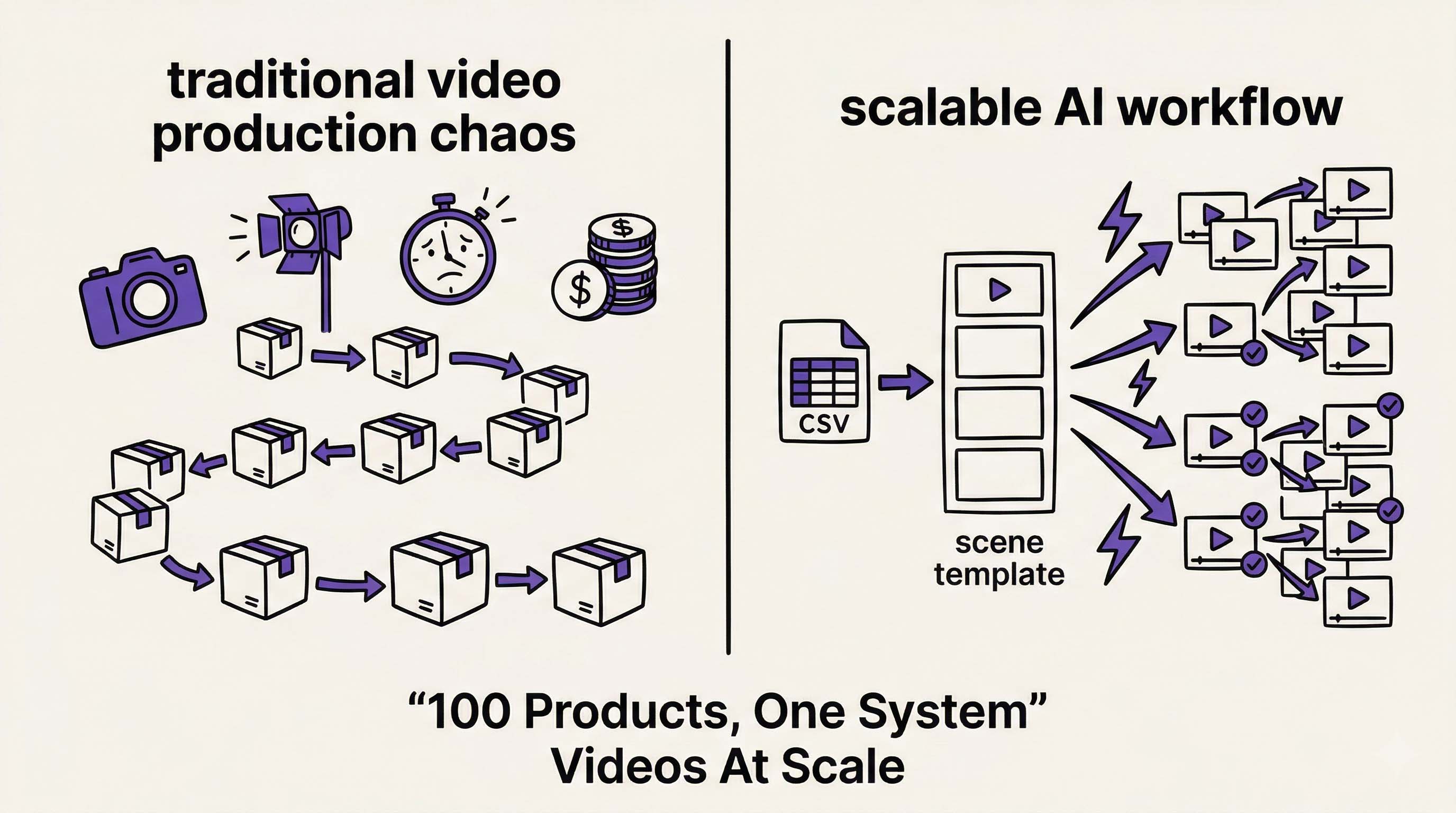 At 100+ SKUs, video production stops being creative work and becomes a systems problem. Illustration created with RizzGen.
Last quarter, a Shopify merchant in the home goods space reached out with a problem. They had 340 active SKUs. Their product pages with video converted 80% better than those without. But their videographer quoted $800 per video for the remaining 300 products.
The math was impossible: $240,000 for product videos. Six months of production. By the time they finished, half the products would have changed specs or packaging.
This is the scaling problem that breaks traditional video production. And it is why AI scene-based workflows are replacing agency retainers for data-driven ecommerce brands.
The Production Bottleneck at Scale
Traditional video production follows a linear model. One videographer, one day, three to five products if you are efficient. The workflow looks like this:
- Product prep and staging (30 minutes)
- Lighting setup (20 minutes)
- Shooting b-roll from multiple angles (40 minutes)
- Audio recording (15 minutes)
- Breakdown and reset (15 minutes)
- Editing and post-production (2-3 hours)
For 100 SKUs at this pace, you are looking at 20-25 shooting days plus editing time. Even at aggressive indie rates ($500/day), that is $12,500 in labor alone. Add studio costs, equipment rental, and revision rounds, and you hit $30,000-$50,000 quickly.
But the real killer is time. In fast-moving ecommerce, 100 days of production means your first videos are outdated before your last videos go live.
Why Template Tools Fail at 100+ SKUs
Most ecommerce brands try Canva, InVideo, or Pictory first. These tools offer product video templates: drop in an image, add text animation, export a 15-second slideshow.
This works for 10 SKUs. It fails at 100+ for three reasons:
- Manual bottleneck: Each video still requires manual image uploads, text entry, and export clicks. 100 SKUs x 5 minutes per video = 8+ hours of repetitive work.
- Visual consistency: Without strict brand guidelines, videos start to look different as different team members create them. Font choices drift. Color grading shifts.
- No demonstration: Templates animate static images. They do not show the product in use, which is what reduces return rates and increases conversion.
You end up with 100 videos that look like PowerPoint presentations, not product demonstrations.
The Scene-Based Scale Model
RizzGen approaches bulk video creation differently. Instead of treating each SKU as a unique production, we treat them as data inputs into a repeatable scene structure.
Here is the workflow for 100+ SKUs:
Step 1: Template Architecture (One Time)
Design your scene structure once:
- Scene 1: Problem statement (3 seconds)
- Scene 2: Product demonstration (10 seconds)
- Scene 3: Feature close-up (7 seconds)
- Scene 4: CTA with branding (5 seconds)
This template includes locked camera angles, voiceover pacing, and brand color schemes.
Step 2: Batch Data Input
Upload a CSV with:
- SKU ID
- Product name
- Key features (bullet points)
- Reference image URLs
- Target audience segment
Step 3: Automated Scene Generation
The system generates videos in parallel:
- Scene 2 uses your product reference images to generate demonstration footage
- Scene 4 automatically inserts product names and pricing from the CSV
- Voiceover narrates using your script template with variable insertion
Step 4: Batch Review
Review 10% of outputs. If the template works, approve the batch. Spot-check for color accuracy and logo placement.
Total time for 100 SKUs: 2 hours of setup, 4 hours of review. Not 100 days.
Cost Per SKU Breakdown
| Method | Cost per Video | 100 SKU Total | Time |
|---|---|---|---|
| Professional Videographer | $400-800 | $40,000-80,000 | 3-6 months |
| Template Tools (Manual) | $5-10 | $500-1,000 | 1-2 weeks |
| AI Scene-Based (RizzGen) | $2-4 | $200-400 | 48 hours |
The template tools look cheaper, but they produce slideshows, not demonstrations. The AI scene-based approach produces motion demonstrations at scale for less than the cost of coffee per SKU.
Maintaining Quality at Scale
The fear with bulk generation is loss of quality. Here is how to maintain standards across 100+ videos:
Reference Locking
Upload 3 reference images per product category (not per SKU). The AI uses these to maintain consistent lighting, hand models, and backgrounds across all videos in that category.
Script Modularization
Create 5 script templates for different product types:
- Tech accessories (feature-focused)
- Home goods (benefit-focused)
- Beauty (transformation-focused)
- Apparel (texture-focused)
- Tools (durability-focused)
Automated Quality Gates
Set parameters:
- Color accuracy threshold (compare generated video to reference)
- Logo visibility check (ensure branding appears in Scene 4)
- Audio clarity minimum (noise floor detection)
Real Workflow Example
A phone accessory brand used this workflow for 150 SKUs:
Day 1: Uploaded CSV with product data and reference images. Selected "Tech Accessories" template. Generated all 150 videos overnight.
Day 2: Reviewed 15 random videos (10%). Found 3 with color drift on dark blue products. Adjusted reference image for dark color category. Regenerated those 3.
Day 3: Bulk exported to Shopify via API. Videos auto-embedded on product pages.
Results: 150 product videos live in 72 hours. Cost: $380. Previous agency quote: $45,000 and 4 months.
Key Insight: At 100+ SKUs, you are not buying creativity. You are buying consistency and speed. The creative work happens once in the template design. Everything else is execution.
Platform Distribution
Generate once, distribute everywhere:
- Shopify: Product page embeds (increase time on page)
- Amazon: A+ Content and product videos (reduce returns)
- TikTok Shop: Product-linked videos (native shopping)
- Meta Commerce: Instagram Shopping video tags
The same 100 videos work across all platforms. Just reformat aspect ratios: 16:9 for Amazon, 9:16 for TikTok, 1:1 for Instagram.
Who Should Use This Approach
This workflow is designed for:
- DTC brands with 100-1000 SKUs in catalog
- Amazon sellers managing multiple ASINs across brands
- Dropshippers testing products fast (need videos before inventory arrives)
- Agencies managing product video for multiple ecommerce clients
Not for: Luxury brands where each product needs unique storytelling, or single-SKU launches where custom production makes sense.
Scale Your Product Video Library
Upload your first 10 SKUs free. See the batch workflow in action.
Start Bulk Generation or get the CSV template for your catalog.
FAQ
Will all 100 videos look identical?
No. They follow the same structure (scenes) but the content adapts to each product. It is like having a template PowerPoint where each slide pulls different data. The motion, lighting, and demonstrations are unique per SKU.
What if my products change after I generate videos?
Update the reference image in your CSV, regenerate that specific SKU. Takes 2 minutes versus reshooting with a videographer.
Do I need video editing skills?
No. The scene-based system handles editing. You review outputs and approve or request regeneration. No timeline editing required.
Can I use this for seasonal updates?
Yes. Generate your holiday versions by updating Scene 4 (CTA) with seasonal offers. Keep the same product demonstrations, just swap the closing.